Feature Announcement: WhatsApp photos and videos in your unified inbox
We built WhatsApp photo and video support in Sabhi to fix this gap. Now your team can send and receive photos and short clips in WhatsApp conversations inside your Sabhi inbox, right next to quotes, payment links, tracking, and RMAs.
- Written by
- Sabhi Insights

For most of our customers, WhatsApp is already where the sale starts.
A buyer messages your yard, asks if a part is in stock, and nine times out of ten the next line is:
"Can you send me a picture?"
Your team pulls out a personal phone, takes a photo, sends it from their own WhatsApp, and tells themselves they will update the system later.
Later rarely happens.
The photos live on personal devices, not on the customer record. Managers cannot see what was promised. When there is a dispute, you are back to screenshots and guesswork.
We built WhatsApp photo and video support in Sabhi to fix this gap.
Now your team can send and receive photos and short clips in WhatsApp conversations inside your Sabhi inbox, right next to quotes, payment links, tracking, and RMAs.
One screen for quote, pay, ship, RMA, and visual proof.
The problem: media sits outside your workflow
Most teams do not have a messaging problem. They have a workflow problem
Here is what we heard again and again:
- Sales and support already run on WhatsApp
- Staff jump between Sabhi, personal WhatsApp, camera roll, and email
- Photos and videos stay on personal phones
- There is no single trail that connects message, media, payment, and shipment
- When a dispute comes in, no one can see what was actually sent
This is where money and trust leak out.
Approvals stall because the buyer is waiting on a picture. Disputes drag on because you cannot pull a clean record. Training new staff takes longer because you do not have real conversations with visuals to coach from.
If Sabhi is your system of record, the pictures and videos that close the sale should live there too.
What we built: media on the same screen as money
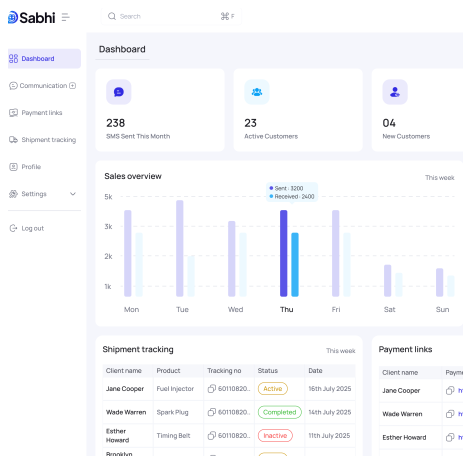
Sabhi already unifies your messages, payments, and shipments.
With this release, WhatsApp photos and videos now sit in that same workflow.
At a high level, here is what is new:
- You can send and receive photos and short videos in any WhatsApp thread inside Sabhi
- Those photos and clips stay tied to the conversation, contact, and related order
- The full trail for a sale can now include message, media, payment link, and tracking in one place
You still use your existing WhatsApp number. Your team still talks to customers where they are comfortable. The difference is that the work no longer lives on personal devices.
It lives in Sabhi, with PCI secure payments and a clear audit trail.
Workflow 1: Show the part, close the sale in one thread
The most basic use case is also the one with the biggest impact.
Without Sabhi
- Buyer messages you on WhatsApp
- Staff confirms stock in the yard system
- Staff grabs a personal phone, takes a photo, sends it from their own WhatsApp
- Later, they may or may not update the system
With Sabhi
- Buyer’s WhatsApp message lands in your Sabhi inbox
- Staff opens the thread, sends part photos or a short video inside Sabhi
- When the buyer says yes, staff sends a text to pay link in the same conversation
From the buyer’s point of view, it is simple.
They message your business, see the part, ask a question, and pay. All inside one WhatsApp thread.
From your point of view, it is structured.
The request, the photos, the approval, and the payment live in one Sabhi conversation that anyone on your team can see.
This is how you turn more “Can you send a picture” moments into paid orders.
Workflow 2: Protect your team when there is a dispute
Disputes are not just a card network issue. They are an evidence issue.
If the only proof of what you shipped is a photo on someone’s personal phone, you are exposed. That photo may be lost, edited, or impossible to find when you need it.
WhatsApp photos and videos inside Sabhi give you a simpler pattern:
- Before shipping, your team captures “ready to ship” photos inside the Sabhi thread
- Those photos are attached to the conversation and tagged to the order
- When a customer reports a problem, you can see what was sent, what was packed, and what was promised
Now, when a dispute comes in, you are not reconstructing a story from memory.
You are reviewing a clear record:
- Original inquiry
- Photos and videos that were shared
- Payment link and receipt
- Any follow up messages and RMAs
This is part of how Sabhi helps customers cut disputes and chargebacks. You are not just trusting that the right thing was sent. You can see it.
Workflow 3: Shipping, delivery, and RMAs with real context
The same pattern applies to logistics and returns.
Without Sabhi, shipping and RMA conversations often look like this:
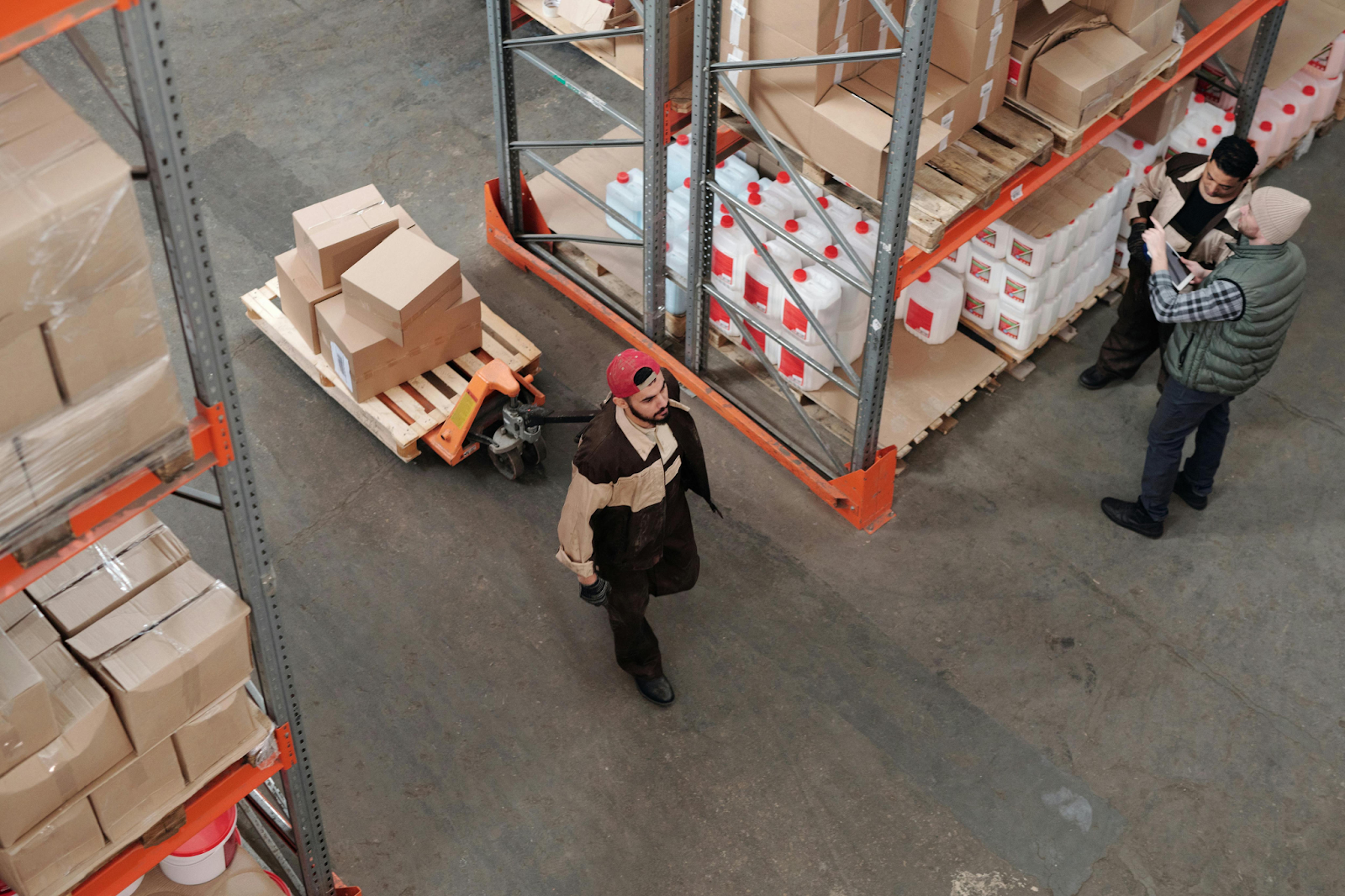
- Warehouse sends a photo of the packed pallet from a personal account
- Customer sends damage photos to a different number or channel
- Operations tries to piece everything together when making a decision
With Sabhi:
- Your team shares a photo of the packed order or label in the WhatsApp thread inside Sabhi
- If there is damage, the customer sends photos back to that same conversation
- Your team reviews message, media, payment, and tracking in one place before deciding on a refund or replacement
You get fewer back and forth messages and faster decisions because everyone is looking at the same record.
Customers are also more confident when they can see how you packed and responded, not just read a text.
Why this feature fits the core Sabhi promise
Sabhi is built on a simple idea.
If you unify how you talk to customers, how you collect money, how you ship, and how you handle returns, you earn more with less risk.
WhatsApp photo and video support is a small feature in that larger story, but it pushes in the same direction:
- It pulls another critical piece of the workflow into one screen
- It reduces the number of tools and personal devices your team relies on
- It strengthens the audit trail that sits underneath your payments and disputes
- It gives owners and managers more visibility into what actually happens in daily conversations
For many businesses, WhatsApp is the front door. Sabhi now lets you bring the visuals that close the deal through that same door, without losing control.
How to get started in a few minutes
You do not need a special project to use this.
Here is the practical setup path.
Step 1: Check your WhatsApp connection
Here is the practical setup path.
Make sure your WhatsApp number is connected to Sabhi. If you are not sure, visit the help center or contact support.
Step 2: Open a WhatsApp thread in Sabhi
Go to the unified inbox and click on a conversation with the WhatsApp badge.
Step 3: Send your next photo from Sabhi
Tap the media icon, upload a part photo or record a short clip, and send it inside the Sabhi thread.
Step 4: Link it to the order
Tag the related ticket or order so anyone on your team can find the conversation and media later.
If you run a team, you can also:
- Add a simple rule to your SOP: for certain order types, always send a photo from Sabhi before shipping
- Use a few real conversations with photos as training material for new staff
Once you do this a few times, it becomes the default way your team works.
See it live in your own business
This is not a theoretical feature.
If most of your sales and support already run on WhatsApp, this is how you turn those chats into a complete workflow that covers quote, pay, ship, and RMA, with visual proof included.
If you already use Sabhi, log in and send your next part photo from Sabhi, not from a personal phone. Watch how it changes the speed and clarity of that sale.
If you are evaluating Sabhi, this feature is included in the same platform that gives you unified messaging, text to pay links, integrated shipping, and a clean audit trail, all built on PCI compliant payments.
ypu can:
- Book a short demo to see the WhatsApp workflow end to end
- Start a 30 day trial and connect your own WhatsApp number in under 10 minutes
Work smarter. Close faster. Earn more. Now with WhatsApp photos and videos right where they belong.