Feature Announcement: Photos and videos in your Sabhi SMS inbox
- Written by
- Sabhi Insights

SMS is still the backbone for a lot of day to day work.
Customers text your business number to check stock, get a quick quote, and pay from a link you send them.
As more teams standardised on Sabhi for quotes, payments, and shipping, one request kept coming up in product calls and roadmap reviews:
“We want SMS photos and videos to live in the same place as the rest of the workflow.”
So we built it
Sabhi now supports Twilio powered MMS inside your SMS inbox. Your team can send and receive photos and short videos in the same SMS threads they already use, without leaving Sabhi.
Those photos and clips sit on the same timeline as:
- Quotes and text to pay links
- Shipping updates and tracking
- RMAs and follow up messages
One screen for text, pictures, payments, and shipments, all tied to the right contact and order.
The problem: SMS messages here, photos somewhere else
Most teams have already done the hard part. You have one SMS number, one main inbox, one place where serious customers reach you.
The gaps start when someone needs to see something.
Typical patterns we heard:
- Buyer texts the main number, but photos go out from a personal phone
- Group chats and side apps carry packing photos and job site pictures
- Customers reply with damage photos to whatever number is on their phone
- When something goes wrong, no one can see the full record end to end
The result:
- Confused customers who are not sure which number to trust
- Slower approvals because visual proof is not in the main thread
- Weak evidence in disputes because messages and photos are scattered
- Training that relies on stories instead of real conversations with visuals
If Sabhi is where your SMS conversations and payments live, the photos and videos that drive those payments should live there too.
What we built: MMS on the same screen as money
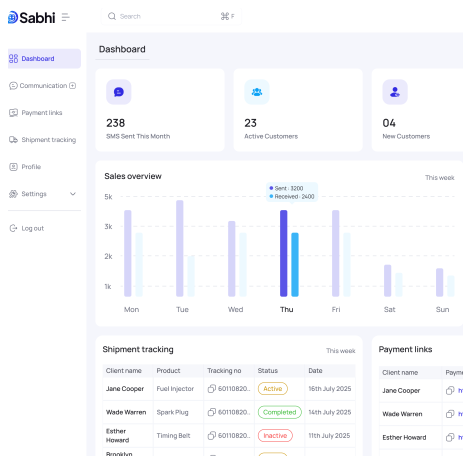
Sabhi already unifies your inbox, payments, and shipping.
With this release, MMS support via Twilio now sits inside that same workflow.
Here is what is new:
- Send and receive photos and short videos in any SMS thread inside Sabhi
- Keep every image and clip tied to the right contact, ticket, and order
- See SMS messages, media, payment links, and tracking events on one clear timeline
You keep using your existing Twilio SMS number. Customers keep texting the same number they already trust. Your team keeps working from the Sabhi inbox they already know.
The difference is that the work no longer lives on personal devices or side channels. It lives in Sabhi, next to PCI secure payments and a clean audit trail.
Workflow 1: Visual quotes for SMS first buyers
Some of your best buyers are SMS only. No apps, no portals, no logins. They want to text a number, see the item, and pay.
Without MMS in Sabhi:
- Buyer texts your main number
- Staff confirm stock in the yard or inventory system
- To share photos, staff switch to a personal phone or another app
- The buyer now has two threads for the same deal
- The quote is fragmented across tools and devices
With MMS in Sabhi:
- Buyer’s SMS lands in your Sabhi inbox
- Staff reply from inside Sabhi and attach photos or a short video as MMS
- Once the buyer approves, staff send a text to pay link in the same SMS thread
From the buyer’s perspective:
- One number
- One conversation
- Clear visuals and a payment link that shows up right after they say yes
From your perspective:
- The request, media, approval, and payment live in one Sabhi conversation
- Any team member can open the thread and see the full context
This is how you turn more “Can you text me a picture” moments into clean, trackable orders.
Workflow 2: Proof and protection when something goes wrong
Disputes are rarely about one line on a statement. They are about what was actually sent and received.
Without Sabhi MMS:
- Packing photos sit in personal galleries or group chats
- Complaint photos arrive to random numbers or inboxes
- Operations and finance piece together screenshots, emails, and messages
With Sabhi MMS inside your SMS inbox:
- Your team sends “ready to ship” photos from the Sabhi SMS thread
- Those photos are attached to the conversation and tagged to the order
- If there is a complaint, customers reply with their photos to the same number
- Sabhi keeps the full chain in one place
When you review a dispute, you can pull up:
- The original SMS inquiry
- Every photo and clip shared around the order
- The payment link, receipt, and settlement
- Any RMA messages and outcomes
You are no longer trying to remember what happened. You are looking at an evidence trail that lives inside the same system that processes your payments.
This is how you reduce chargebacks you cannot defend and shorten the time it takes to make a fair decision.
Workflow 3: Operational updates customers actually read
Not every important message is a quote.
SMS and MMS are also where operational updates happen:
- Field service and jobs
- Repairs and inspections
- Packing and handover in logistics
Today, those updates might live in:
- A photo sent from a technician’s personal phone
- A message buried in a group cha
- An email that never gets opened
With MMS in Sabhi:
- Field teams send job site photos into the Sabhi SMS thread so the office and customer see the same thing
- Warehouse teams send photos of packed pallets, labels, or serial numbers directly from Sabhi
- Customers reply to that same number with clarifying photos if something looks wrong
Your team can then review SMS messages, media, payment, and tracking on one screen and decide what to do next.
Customers see that you are not just sending generic messages. You are sharing real context in the channel they check first.
Why this feature matters for owners and managers
Features only matter if they move numbers.
MMS support in Sabhi helps on a few concrete fronts:
- More approvals from SMS only buyers
- Less time wasted chasing media
- Stronger audit trail for payments and disputes
- Better training and coaching
They can see the item without switching channels, then pay from the same thread.
Photos and clips land in one inbox, not across personal devices.
When something goes wrong, you have a message, media, and money on one record.
You can review real SMS conversations with real visuals when onboarding new staff or fixing recurring issues.
On the roadmap level, this feature continues the same direction:
One platform for how you talk to customers, how you collect money, and how you move product, with proof and compliance built in.
How to get started in a few minutes
You should not need a project plan to use this.
Here is the practical setup path.
Step 1: Confirm your Twilio SMS configuration
Make sure your Twilio number is connected to Sabhi. If you are not sure, check the help center or contact support.
Step 2: Open an SMS thread in Sabhi
Go to the unified inbox and click on a conversation with the SMS badge.
Step 3: Send your next photo from Sabhi
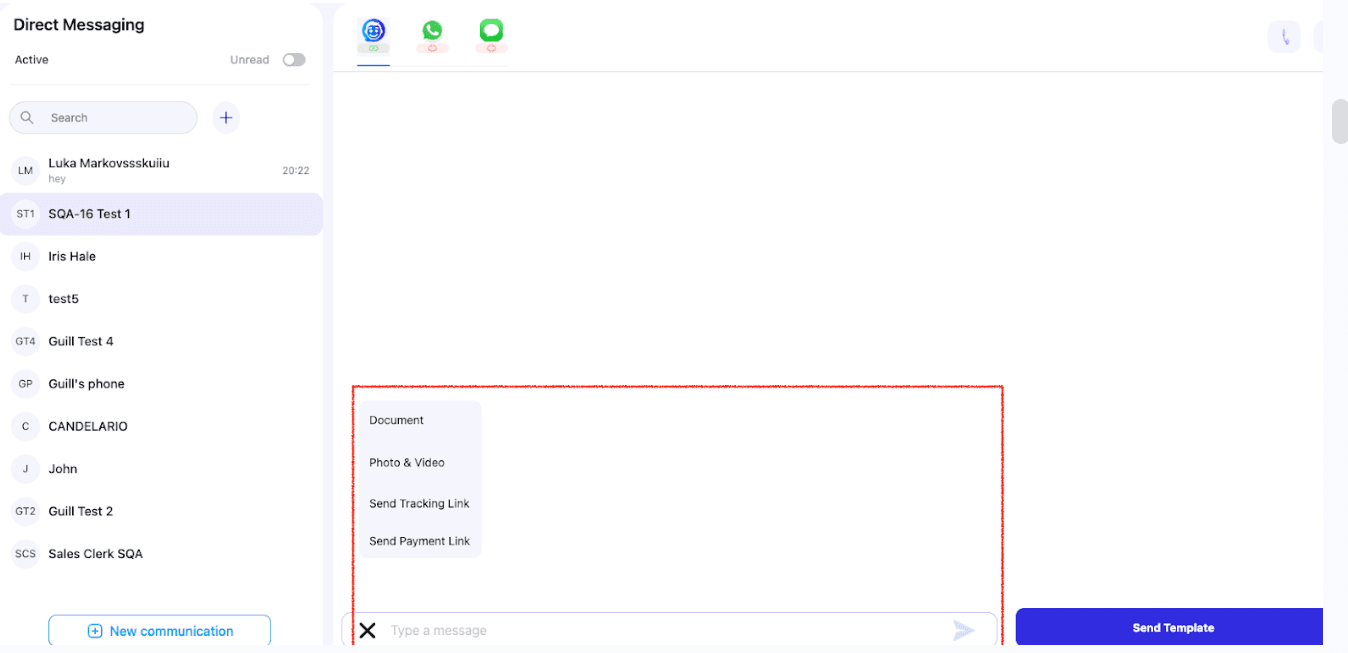
Tap the media icon, upload a part photo or short clip, and send it as MMS from inside the Sabhi thread.
Step 4: Link it to the order
Tag the related ticket or order so your team can always find the SMS, media, and payment later.
If you run a team, you can also:
- Add a simple SOP line for key order types: send at least one “ready to ship” photo from Sabhi
- Use a few recent SMS threads with photos as training material for new hires
After a few days, this becomes the default habit. The personal phone becomes the backup, not the primary tool.
See MMS in your own workflow
If SMS is where your serious buyers talk to you, MMS in Sabhi is how you bring the visuals, payments, and tracking into the same place.
If you already use Sabhi, log in and send your next part photo from your Sabhi SMS inbox, not from a personal number. Watch how it changes the speed and clarity of that sale.
If you are evaluating Sabhi, MMS support is included in the same platform that gives you:
- A unified inbox for SMS, WhatsApp, and calls
- Text to pay links and PCI compliant payments
- Integrated shipping, tracking, and RMAs
- A clean audit trail that connects all of the above
You can:
- Book a short demo to see the SMS and MMS workflow end to end
- Start a 30 day trial and connect your Twilio number in under 10 minutes
Work smarter. Close faster. Earn more. Now with SMS photos and videos stored where they belong.